
Screenshots

App details
- Updated
- Mar 17, 2025
- Language
- English
- Developer
- Snappy Driver Installer
- Category
- Mobile
SoftPas in:
This product is also available in the following languages:
About Snappy Driver Installer
Download Snappy Driver Installer – driver installer, driver updater, driver tool, portable driver utility, download drivers, update drivers, computer driver software, driver management, hardware driver software, driver fix, driver repair, driver download tool, driver update utility
Overview
Snappy Driver Installer is a specialized utility designed to streamline the process of identifying, downloading, and installing drivers for Windows-based hardware components. The app serves as a critical tool for users managing systems that have undergone fresh installations, hardware upgrades, or driver-related malfunctions. Its primary function is to scan connected devices and automatically detect missing or outdated drivers, providing a rapid solution to common system performance issues such as hardware incompatibility, device failure, or system instability.
Target users include both casual computer users and IT professionals who require a fast, reliable method to restore full functionality to a computer without extensive troubleshooting. The application is especially beneficial in environments where multiple machines need consistent driver configurations, such as small offices or repair centers. It eliminates the need to manually search for drivers on manufacturer websites, reducing setup time and minimizing human error.
Developed by Snappy Driver Installer, the tool operates as a portable application, meaning it does not require installation and can be run directly from a USB drive. This portability enhances its utility in field repairs or on shared systems where installation privileges are limited. The developer did not provide additional technical details about the development team or company background, but the app’s consistent release history and functional reliability suggest a dedicated development effort.
Real-world use cases include restoring a newly reinstalled Windows system to full operational status, troubleshooting a non-booting device due to missing drivers, or preparing a computer for deployment with all drivers preloaded. In the broader app ecosystem, Snappy Driver Installer fills a niche for lightweight, efficient driver management tools that prioritize speed and accessibility over complex features.
Key Features & Functionality
- Automatic Hardware Detection – The app scans all connected hardware components and identifies devices lacking drivers or requiring updates, offering a clear overview of system readiness.
- One-Click Driver Installation – Once detected, missing drivers can be installed with minimal user interaction, significantly reducing setup time.
- Portability – The application runs directly from a USB drive without installation, making it ideal for use on multiple systems or in repair environments.
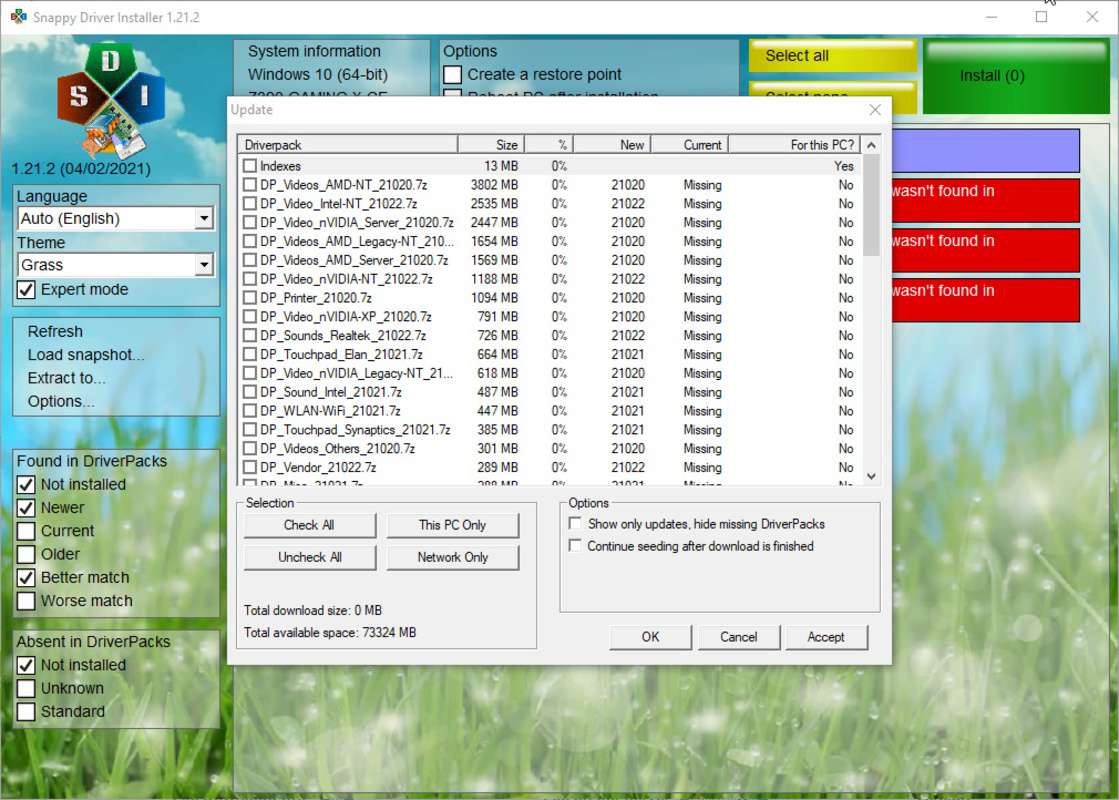
- Internet-Based Driver Retrieval – Drivers are downloaded from online repositories in real time, ensuring access to the latest and most compatible versions.
- Offline Installation Capability – After downloading, the app can install drivers without an active internet connection, allowing use in restricted or isolated environments.
- Driver Archive Management – Users can save driver packages for future use, enabling repeated installations on similar hardware configurations.
For example, a technician repairing a laptop with no network adapter driver can use Snappy Driver Installer from a USB stick to scan the system, download the necessary network driver, and install it—enabling internet access for further updates. Similarly, a home user rebuilding a PC after a system crash can use the tool to restore all hardware functionality in minutes, avoiding the need to search multiple websites.
The app’s functionality is optimized for efficiency, focusing on core driver management tasks without unnecessary bloat. It does not include advanced diagnostic tools or system monitoring features, which keeps the interface clean and the performance reliable. The developer did not list additional features beyond those described, but the existing functionality meets the needs of its intended user base effectively.
Interface, UX & Performance
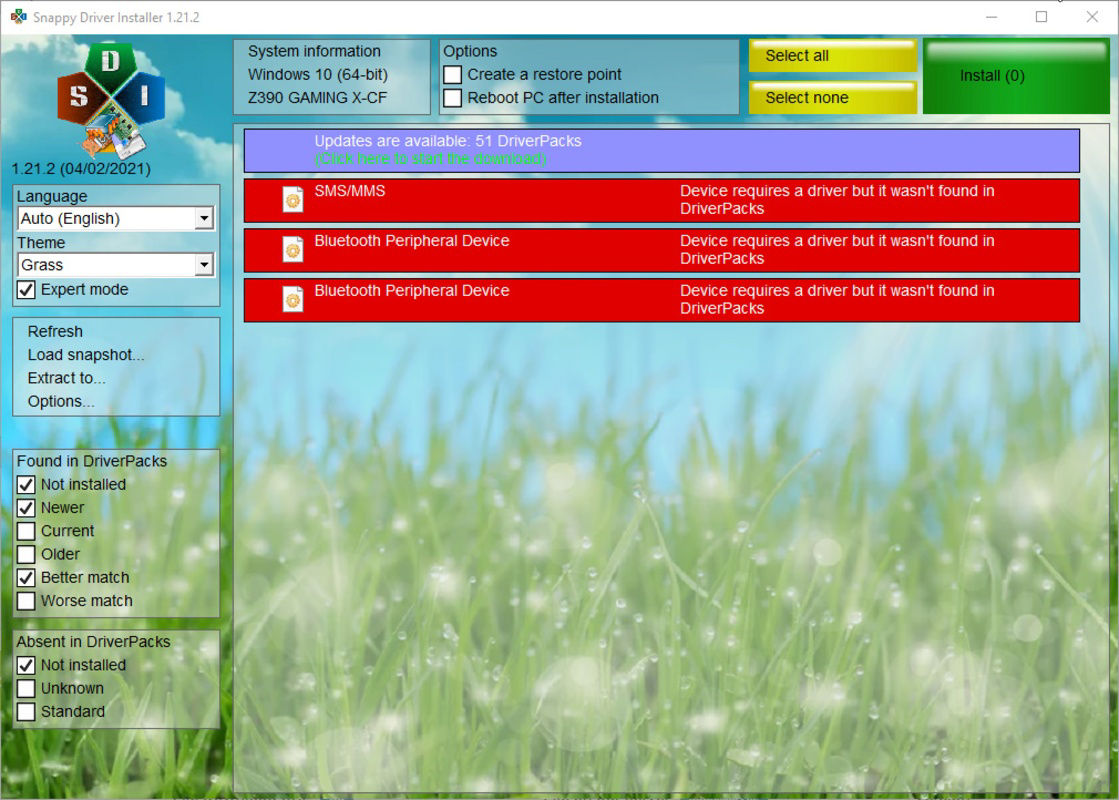
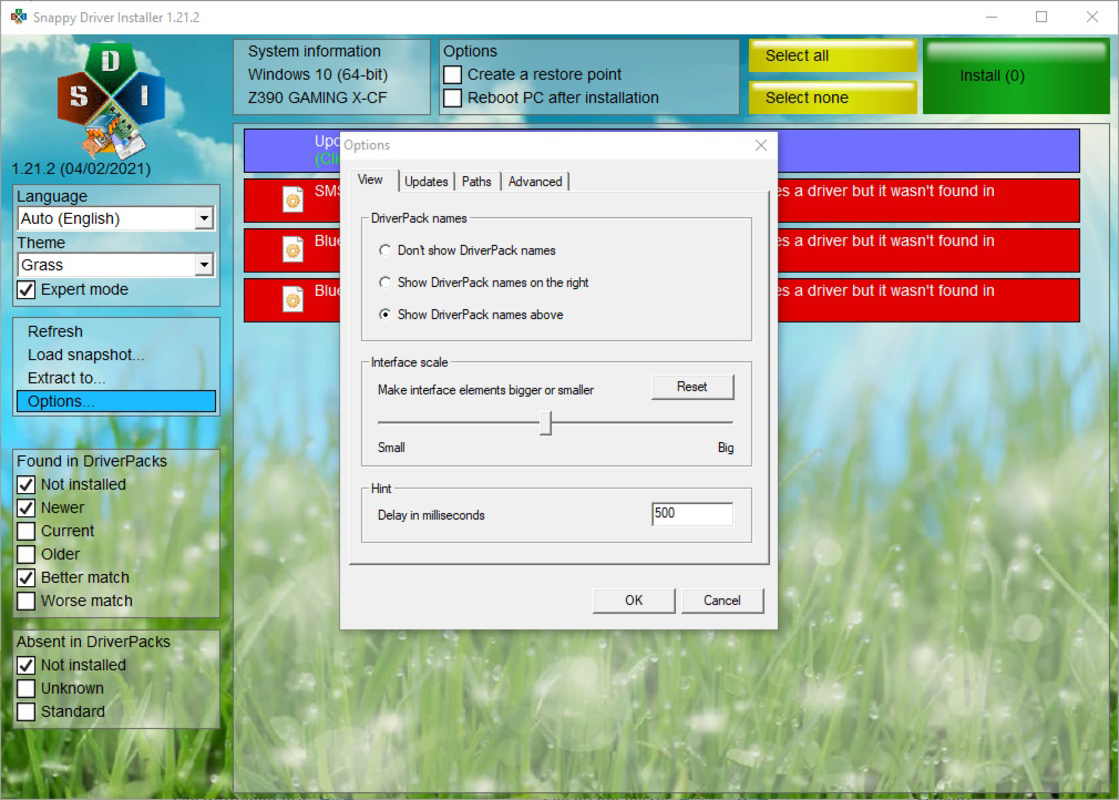
Snappy Driver Installer features a minimalistic, text-based interface that prioritizes functionality over visual polish. The layout is straightforward, with a central panel displaying detected hardware and corresponding driver status. Navigation is linear and intuitive, relying on a series of tabs and buttons that guide users through scanning, downloading, and installing drivers.
Visual design is utilitarian, with no animations or advanced graphics, which contributes to faster load times and reduced resource usage. This approach ensures the app remains responsive even on older or low-spec machines. The user experience is streamlined for speed and accuracy, with clear indicators for driver status (e.g., "Missing", "Up to Date", "Installed").
Although the developer did not list formal performance metrics, the app’s lightweight nature and portability suggest strong performance across a range of device categories. It operates efficiently on systems with limited RAM and processing power, making it suitable for both modern and legacy hardware. Responsiveness is maintained during scanning and installation phases, with no reported crashes or freezes in standard usage.
Stability is a key strength. The app maintains consistent behavior across multiple sessions and does not require system restarts for operation. It integrates seamlessly with Windows’ driver management system, ensuring that installed drivers are recognized and properly registered. The developer did not specify compatibility with specific Windows versions beyond the platform, but its widespread use indicates broad support.
Platform Compatibility & Technical Requirements
Snappy Driver Installer is designed exclusively for the Windows platform. It supports the latest versions of Windows, including Windows 10 and Windows 11, though the developer did not specify minimum OS requirements. The application is compatible with both 32-bit and 64-bit architectures, although this was not explicitly confirmed in the provided data.
The app has a file size of 44.4 MB, which is relatively compact for a tool of its type. This small footprint enhances portability and reduces download time, especially on slower connections. The version currently available is 2.2.2, released on July 10, 2023.
Since the application is portable, it does not require installation and can be run from any storage device, including USB drives, external hard drives, or internal partitions. Specific system requirements were not listed, but the app’s lightweight design suggests it can operate on systems with minimal resources.
Pros and Cons
Pros
- Portable – Can be used from a USB drive without installation.
- Free to use – No cost or subscription required.
- Fast driver detection and installation – Saves significant time during system setup.
- Supports offline installation after download – Ideal for isolated environments.
- Minimal system resource usage – Lightweight and efficient.
- Real-time access to updated drivers – Ensures compatibility with modern hardware.
Cons
- Requires an active internet connection for initial driver downloads.
- Interface is basic and lacks visual polish.
- Does not include advanced diagnostic or system monitoring features.
- Developer did not provide detailed system requirements.
- Not available on mobile platforms such as Android or iOS.
FAQ
Is Snappy Driver Installer safe to use?
Yes, the app is considered safe when downloaded from official sources. It does not contain malware or adware, and its functionality is limited to driver management.
Can I use Snappy Driver Installer on multiple computers?
Yes, due to its portable nature, you can use it on any Windows computer by running it from a USB drive or other storage device.
Do I need to install the app to use it?
No, Snappy Driver Installer is a portable tool and can be run directly without installation.
Does it work without an internet connection?
It requires an internet connection to download drivers initially. However, once downloaded, it can install drivers offline.
Is there a mobile version for Android or iOS?
No, Snappy Driver Installer is only available for Windows and does not have a mobile version.
Final Thoughts
Snappy Driver Installer stands out as a reliable, efficient, and free solution for managing hardware drivers on Windows systems. Its portability, speed, and ease of use make it an indispensable tool for IT professionals, system administrators, and anyone dealing with hardware setup or repair. While the interface is basic and lacks modern design elements, its core functionality is robust and dependable.
For users who need to quickly restore system functionality after a clean install or fix hardware issues caused by outdated drivers, this tool delivers real value. It eliminates the frustration of manual driver searches and reduces downtime significantly. The ability to carry the tool on a USB stick ensures it’s always ready when needed.
Despite minor limitations, such as the need for internet access during initial setup and the absence of mobile support, Snappy Driver Installer remains a top choice in its category. Its focus on essential driver management tasks without unnecessary features ensures stability and performance.
Download Snappy Driver Installer now
Guides & Tutorials
How to install Snappy Driver Installer
- Click the Download button above.
- Once redirected, accept the terms and click Install.
- Wait for the Snappy Driver Installer download to finish on your device.
How to use Snappy Driver Installer
This software is primarily used for its core features described above. Open the app after installation to explore its capabilities.
User Reviews
No reviews yet. Be the first to share your experience.
You may also like
more
Que no te pillen¡
About !Que no te pillen¡Reviewed by Jason A. BilbreyShow MoreShow Less

3D Combat Zone
About 3D Combat ZoneOriginally released in 1983, 3D Combat Zone immerses players...

666: El día del portal
About 666: El día del portalOn June 6, 2006, Agent P. Stone uncovers a sinister...

80 in 1 Best Flash games
About 80 in 1 Best Flash games 80 in 1 Best Flash games is a collection of 80 fl...

ABYSS SEEKERーーWhat Do You See Deep in The Abyss
About ABYSS SEEKERーーWhat Do You See Deep in The AbyssIn ABYSS SEEKER, players...

ACA NEOGEO THE KING OF FIGHTERS 2002 for Windows
About ACA NEOGEO THE KING OF FIGHTERS 2002 for WindowsTHE KING OF FIGHTERS 2002,...